How to Repurpose Live Streams into Viral Clips Using AI in 2026
Learn how to turn your Twitch, YouTube, and Kick live streams into dozens of viral short-form clips using AI-powered tools
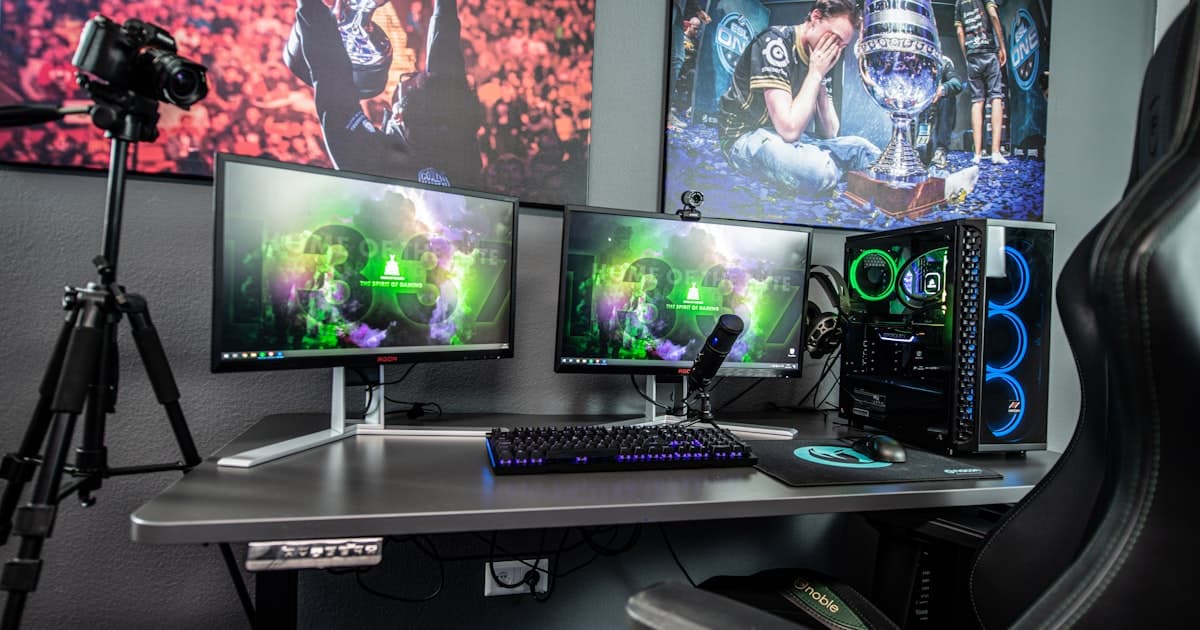
You just finished a three-hour live stream. The chat was popping, you hit a few incredible moments, and your energy was through the roof. Then what? For most creators, that stream sits in a VOD archive collecting dust. Maybe you pull one clip if you're feeling ambitious. The rest of it? Gone.
Here's the reality: your live streams are the single most underutilized content asset you own. A single three-hour stream contains enough raw material for 20-30 short-form clips, a handful of blog posts, and a week's worth of social media content. In 2026, creators who understand this are building audiences 3-5x faster than those who treat streams as one-and-done events.
The short-form video market is projected to reach $59 billion this year, and the creators capturing that value aren't necessarily producing more content. They're repurposing smarter. Let's break down exactly how to do it.
Why Live Streams Are Content Goldmines
Live streams have something polished, scripted content doesn't: authenticity. When you're reacting in real time, engaging with chat, or working through a problem live, you're creating moments that feel genuine. That rawness is exactly what performs on platforms like TikTok, YouTube Shorts, and Instagram Reels.
But there's a practical advantage too. Consider the math:
- 3-hour stream = ~180 minutes of footage
- Average viral clip length = 30-90 seconds
- Usable highlight moments = 20-40 per stream (reactions, jokes, clutch plays, hot takes, tutorials)
That's potentially a month of daily short-form content from a single session. The problem has never been a lack of material. It's been the sheer labor of finding and editing those moments manually.
"The best content strategy in 2026 isn't creating more. It's extracting more value from what you've already created."
The AI-Powered Repurposing Workflow
Modern AI tools have fundamentally changed what's possible. Instead of scrubbing through hours of footage with a timeline editor, AI can analyze your entire stream in minutes, detecting the moments most likely to resonate. Here's the step-by-step process.
Step 1: Stream as You Normally Would
This is the easy part. Focus on your content, engage your audience, and let the stream run. The only adjustment worth making: be intentional about variety. Mix gameplay with commentary, reactions with tutorials, and casual chat with hot takes. More variety means more clip-worthy moments for AI to find.
Step 2: Let AI Analyze and Detect Highlights
This is where the 2026 landscape gets exciting. Today's AI tools don't just look at audio peaks or chat spam. They use multimodal analysis, combining transcript understanding, visual cues, engagement metrics, and trend data to identify the strongest moments.
The best AI clipping tools now:
- Analyze transcripts to find compelling statements, jokes, and story arcs
- Monitor engagement signals like chat velocity, emote usage, and viewer count spikes
- Cross-reference trending topics to flag moments that align with what's currently viral
- Score moments by platform fit, distinguishing what works on TikTok vs. YouTube vs. Instagram
This is a massive leap from even a year ago. AI doesn't just find loud moments anymore. It finds relevant moments. If you want to see how the leading platforms stack up, our comparison of the best AI clipping tools in 2026 covers the field.
Step 3: Edit and Optimize for Each Platform
A clip that works on TikTok won't necessarily work on YouTube. Platform-specific optimization is non-negotiable in 2026:
For TikTok and Instagram Reels (9:16 vertical):
- Keep clips between 30-60 seconds for maximum reach
- Front-load the hook in the first 2 seconds
- Add dynamic captions (85% of viewers watch without sound)
- Use trending audio when it complements the clip
For YouTube Shorts (9:16 vertical):
- Slightly longer clips (45-90 seconds) perform well
- Include a clear title card or text overlay
- End with a call-to-action pointing to your full stream or channel
For YouTube and Twitch clips (16:9 horizontal):
- Can run 1-3 minutes for compilation or highlight content
- Add context with intro text for viewers who didn't catch the stream
- Include speaker tracking to keep the focus on the active speaker
For Twitter/X:
- Short, punchy clips under 45 seconds
- Pair with a text post that adds context or a hot take
- Square (1:1) or vertical format both work
Step 4: Extend Beyond Video
Here's the part most creators skip. Your clips aren't the end of the repurposing chain; they're the middle. Every strong clip can spin off into additional content:
- Blog posts: Expand on a topic you discussed on stream. Video satisfies the "Experience" component of Google's E-E-A-T framework, and embedding clips in blog posts boosts SEO performance significantly. Our guide to short-form video SEO dives deeper into making your clips discoverable.
- Social media carousels: Pull key quotes or stats from your stream into image-based posts.
- Newsletter content: Use stream highlights as the backbone of a weekly email.
- Podcast segments: Extract audio from your best discussions.
This multimodal approach, combining video, written, and audio content, is the highest-performing content strategy in 2026. You're meeting your audience wherever they spend time, all from a single source stream.
Step 5: Schedule and Publish Across Platforms
Consistency beats intensity. Instead of dumping all your clips at once, schedule them across the week. A three-hour Sunday stream can fuel:
- Monday-Friday: One short-form clip per day across TikTok, Reels, and Shorts
- Tuesday and Thursday: Blog posts expanding on stream topics
- Wednesday: A highlight compilation on YouTube
- Ongoing: Social posts with quotes and screenshots from the stream
Platform-Specific Repurposing Tips
Twitch Streamers
Twitch streams tend to be long (4-8 hours) and packed with chat interaction. Focus on:
- Chat-driven moments: Raids, subscription trains, and chat challenges make great clips
- Game highlights: Clutch plays, fails, and unexpected moments
- IRL reactions: Genuine reactions to donations, news, or in-game events
- Collaborative moments: Clips from co-streams or squad sessions
One underrated strategy: use your Twitch clips to drive traffic to YouTube. The cross-platform funnel of Twitch stream to YouTube clip to TikTok Short is one of the most effective growth loops in 2026. For more on this approach, see our strategies for growing your Twitch and YouTube channel with clips.
YouTube Streamers
YouTube live streams have the advantage of built-in discoverability through search. Maximize this by:
- Timestamping key moments in your stream description for SEO
- Creating Shorts from your own live streams (YouTube's algorithm favors this)
- Using stream content as research for polished, long-form YouTube videos
- Embedding stream clips in community posts to boost engagement between uploads
Kick Streamers
Kick's growing creator base means less competition and more opportunity. For Kick streams:
- Cross-post aggressively since Kick doesn't restrict multi-platform publishing
- Lean into Kick's less filtered culture for edgier, more authentic clips
- Use clips as promotional content to grow your Kick following from other platforms
A Real-World Scenario
Let's walk through a concrete example. Say you're a variety streamer who goes live for four hours on a Saturday night.
During the stream, you:
- Had a hilarious reaction to a jump scare (15 seconds)
- Went on a 3-minute rant about a game mechanic (strong opinion content)
- Hit an insane clutch play (30 seconds)
- Had a heartfelt conversation with a long-time subscriber (2 minutes)
- Reacted to a trending meme with your chat (45 seconds)
- Shared your take on industry news (4 minutes)
An AI tool analyzes the full four-hour VOD and identifies all six moments, plus another 15 you might have missed, such as a funny offhand comment or a chat interaction that went viral in real time. It then generates clips formatted for each platform, adds captions, and queues them for publishing.
Total time spent by you: zero. You streamed, and the rest happened automatically. That's not a hypothetical. That's what AI-powered repurposing looks like right now.
How Artae Makes This Effortless
This entire workflow is exactly what Artae was built to handle. Instead of stitching together five different tools and spending hours on manual editing, Artae automates the full pipeline:
Live Stream Monitoring: Artae connects to your Twitch, YouTube, or Kick stream and analyzes content in real time. It doesn't wait for the VOD. It's already identifying highlights while you're live.
AI-Powered Clip Detection: Using transcript analysis, engagement metrics, and trend-awareness, Artae surfaces the moments most likely to perform. Every detected clip comes with a virality score so you can prioritize.
Automatic Formatting: Each clip is automatically formatted for your target platforms, including vertical crops with speaker tracking, caption overlays, and platform-appropriate durations.
Multi-Platform Publishing: Schedule and publish directly to YouTube, TikTok, and Instagram from a single dashboard. No downloading, re-uploading, or reformatting.
B-Roll and Enhancement: Artae can overlay relevant B-roll footage, add transitions, and apply your brand styling automatically, so clips look polished without manual editing.
The result: a single stream becomes a week of content across every major platform, with minimal effort on your part.
Actionable Takeaways
If you take one thing from this guide, let it be this: stop treating your live streams as ephemeral content. Every stream is a content library waiting to be unlocked.
Here's your action plan:
- Audit your existing VODs. You likely have dozens of hours of untapped content sitting in archives right now. Start there.
- Pick your platforms. You don't need to be everywhere. Choose 2-3 platforms where your audience actually spends time and optimize for those.
- Automate the detection. Manual clipping doesn't scale. Use AI tools like Artae to handle the heavy lifting of finding and formatting your best moments.
- Build a content calendar around your streams. Plan your publishing schedule before you go live, so clips flow into a consistent posting rhythm.
- Go multimodal. Don't stop at video. Turn your stream content into blog posts, social threads, and newsletter material to maximize reach.
The creators who win in 2026 aren't the ones streaming the most hours. They're the ones extracting the most value from every hour they stream. AI makes that possible at a scale that would have been unthinkable even two years ago.
Your next stream isn't just a stream. It's a content engine. Treat it like one.
Ready to turn your streams into a content machine? Try Artae and see how AI can transform a single live stream into weeks of viral-ready clips, automatically.
Vira Team
Content Team
Related Glossary Terms
Related Articles
by Vira Team
Jan 23, 2026
10 min read
How to Repurpose YouTube Videos into TikToks, Reels, and Shorts
Learn the step-by-step process for turning long-form YouTube videos into short-form content for TikTok, Instagram Reels, and YouTube Shorts.
by Vira Team
Apr 6, 2026
11 min read
YouTube's AI Copyright Detection Is Getting Aggressive — A Clipper's Survival Guide
YouTube's AI-powered copyright enforcement is hitting clippers harder than ever in 2026. Here's what changed, what the new court ruling means, and how to protect your channel.
by Vira Team
Apr 5, 2026
12 min read
Inside Fujiwara's Clipping Empire: 23,000 Editors and Billions of Views
A deep dive into Fujiwara's Clipping — one of the largest clipping operations in the world with 23,300 contract editors, billions of views, and campaigns that reshape creator careers.